

A stop only works if the client is ready when the technician gets there. The gate has to be unlocked. Pets have to be secured. Show up first, and the visit waits in the driveway, or it gets skipped.
Calling each house from the truck fixes one stop and pulls the technician off the route. On my way sends that notice from the service they are heading to. The client gets one text, with the company name and the address, and enough time to open the gate and put pets away before anyone is at the door.
The wording is the same every time.
Send it from the service
Open the service for that client.
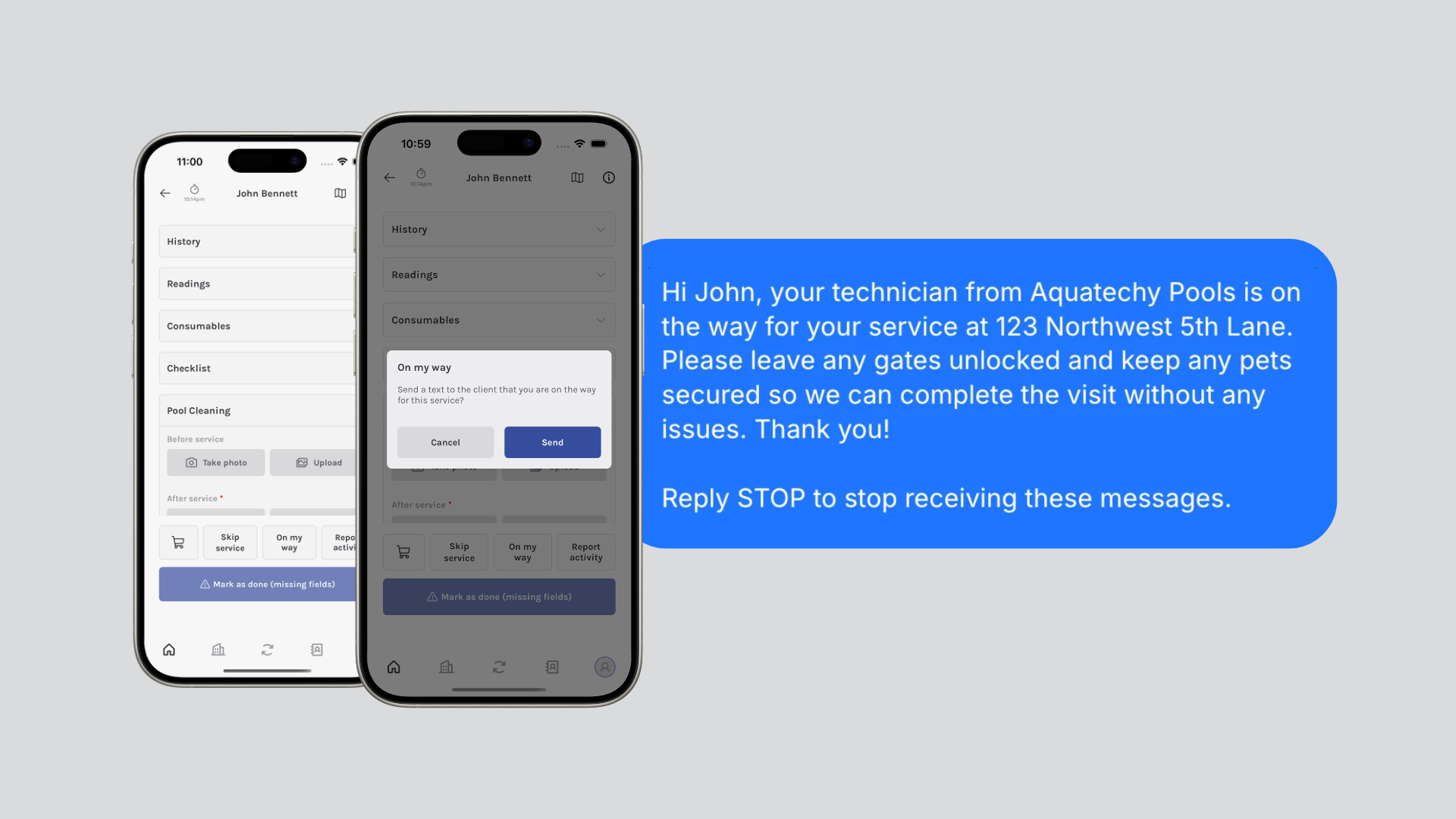
Along the bottom of the screen, tap On my way. It sits with Skip service and Report activity.
Aquatechy asks: "Send a text to the client that you are on the way for this service?"
Send sends the text. Cancel closes the prompt and leaves the service as it was.
What the client receives
The client's name, the company name, and the service address are filled in. Everything else stays as written.
Hi John, your technician from Aquatechy Pools is on the way for your service at 123 Northwest 5th Lane. Please leave any gates unlocked and keep any pets secured so we can complete the visit without any issues. Thank you!
Reply STOP to stop receiving these messages.
Before it can send
- The client's phone number has to be saved on the client. Add it when the client is created. The service screen does not ask for a number.
- The company cannot edit this message, and the technician cannot type a different one.
- The text goes out from an Aquatechy number. A reply from the client does not show up in Aquatechy.
- The office can send the same text from the web panel. This page covers the technician app.