

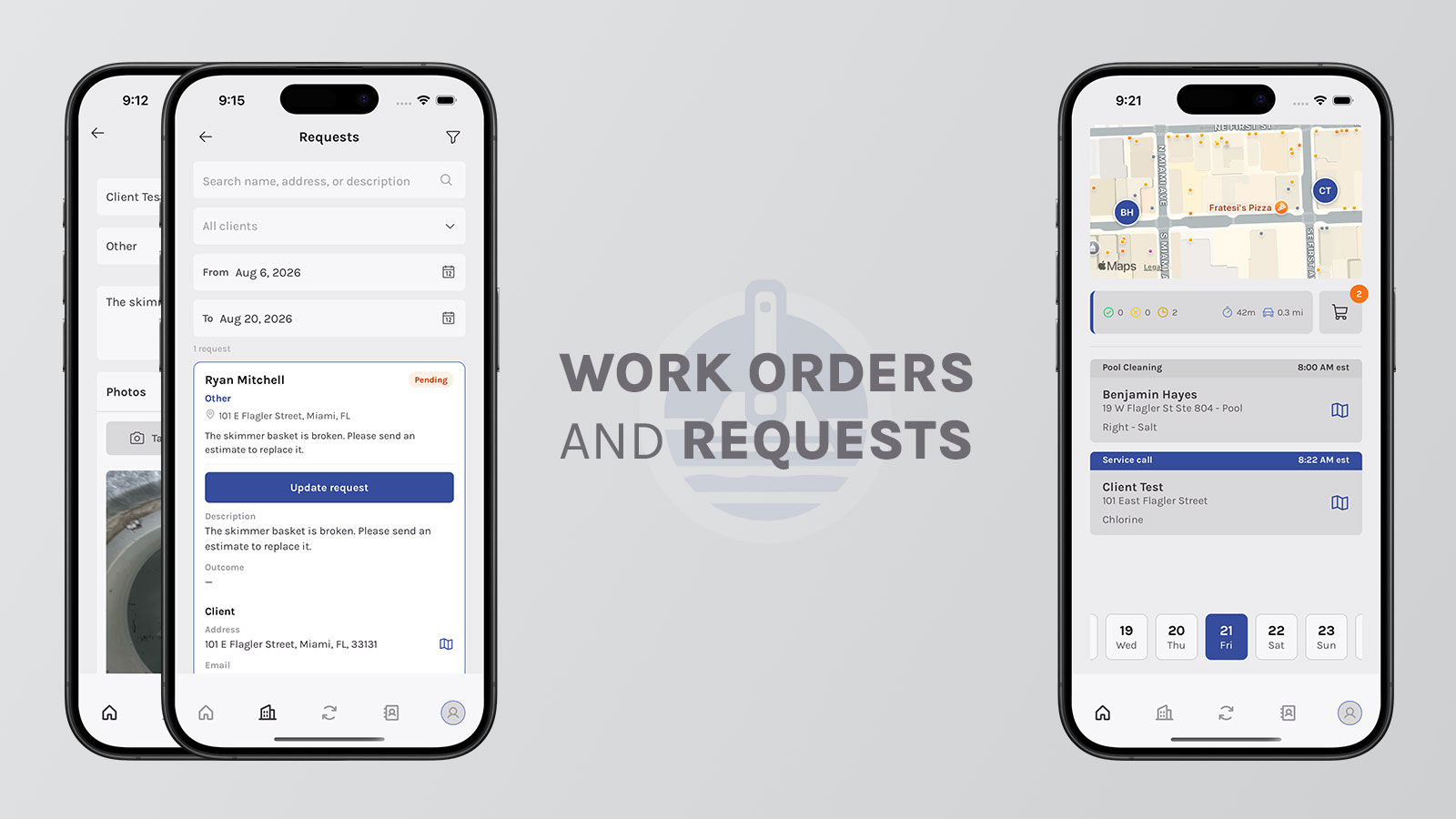
Requests vs. Work Orders: Keep Extra Pool Work From Slipping
The weekly route is the easy part. The hard part is everything that isn't the weekly clean: a packed filter, a scaled salt cell, a pump making a new noise. Those jobs usually start with a tech on site. Then they disappear into a text, a voicemail, or a “remind me Friday” that never makes the schedule.
That's where companies lose money and trust. Not because the work is hard — because nobody owned it.
Aquatechy splits that extra work in two:
Requests are created by techs in the field. They capture what they found — photos, notes, category — so the office can see it.
Work Orders are created by the office or owner. They send the job back to a tech with a date, a service type, instructions, and a price.
The tech reports it. The office dispatches it. Extra work stops living in a group chat.
Techs create Requests. The office creates Work Orders.
What a Request is for?
A Request is how a tech tells the office “this pool needs something extra” without waiting until the end of the day.
They pick the client and pool, write a description, add photos, and choose a category (filter cleaning, filter replacement, or other). They're not assigning themselves. They're not picking Thursday. They're not putting a price on it.
They're getting it out of their head and into the company.
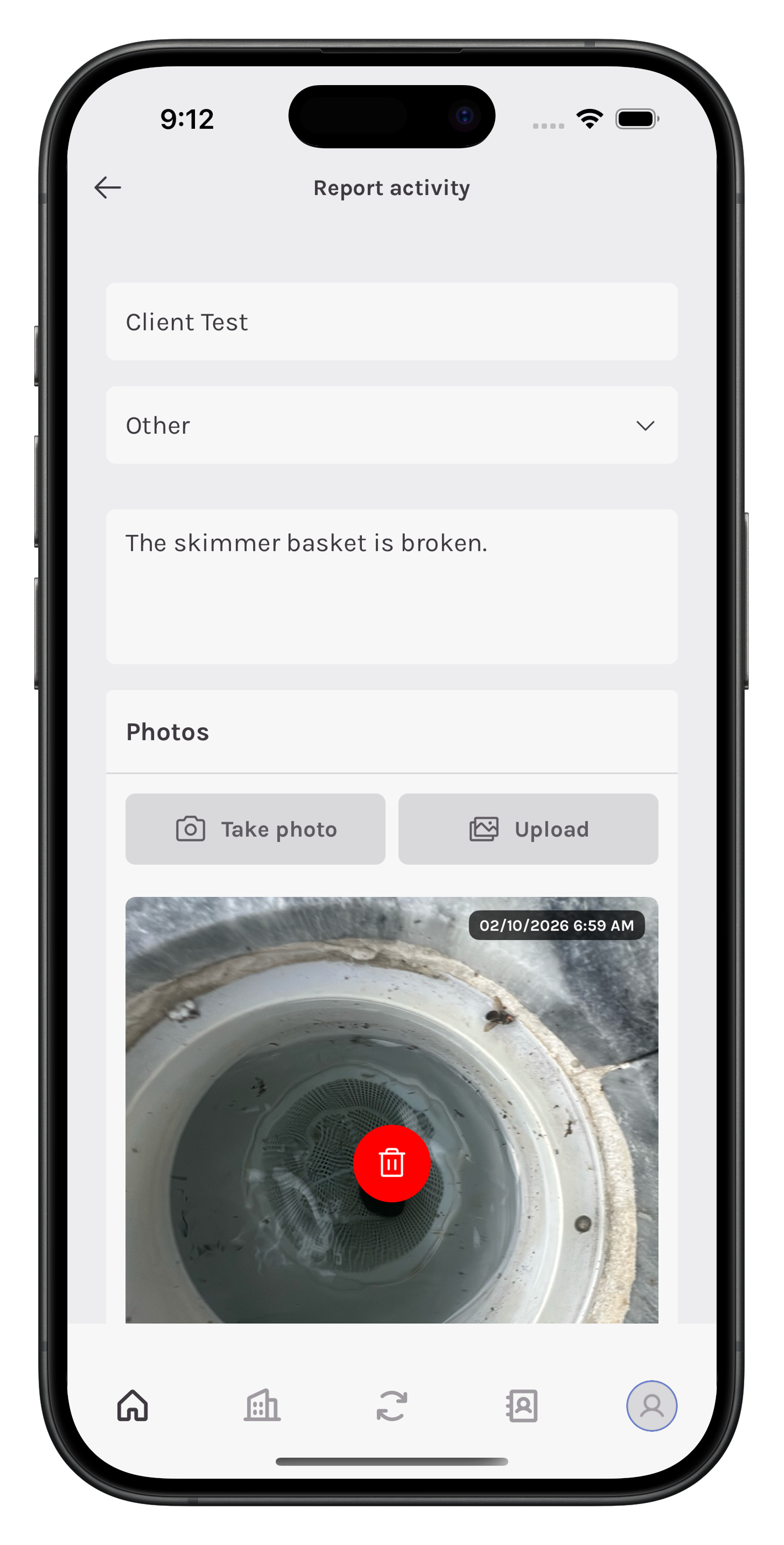
A Request takes a minute on site. That's the point — capture it before the next stop.
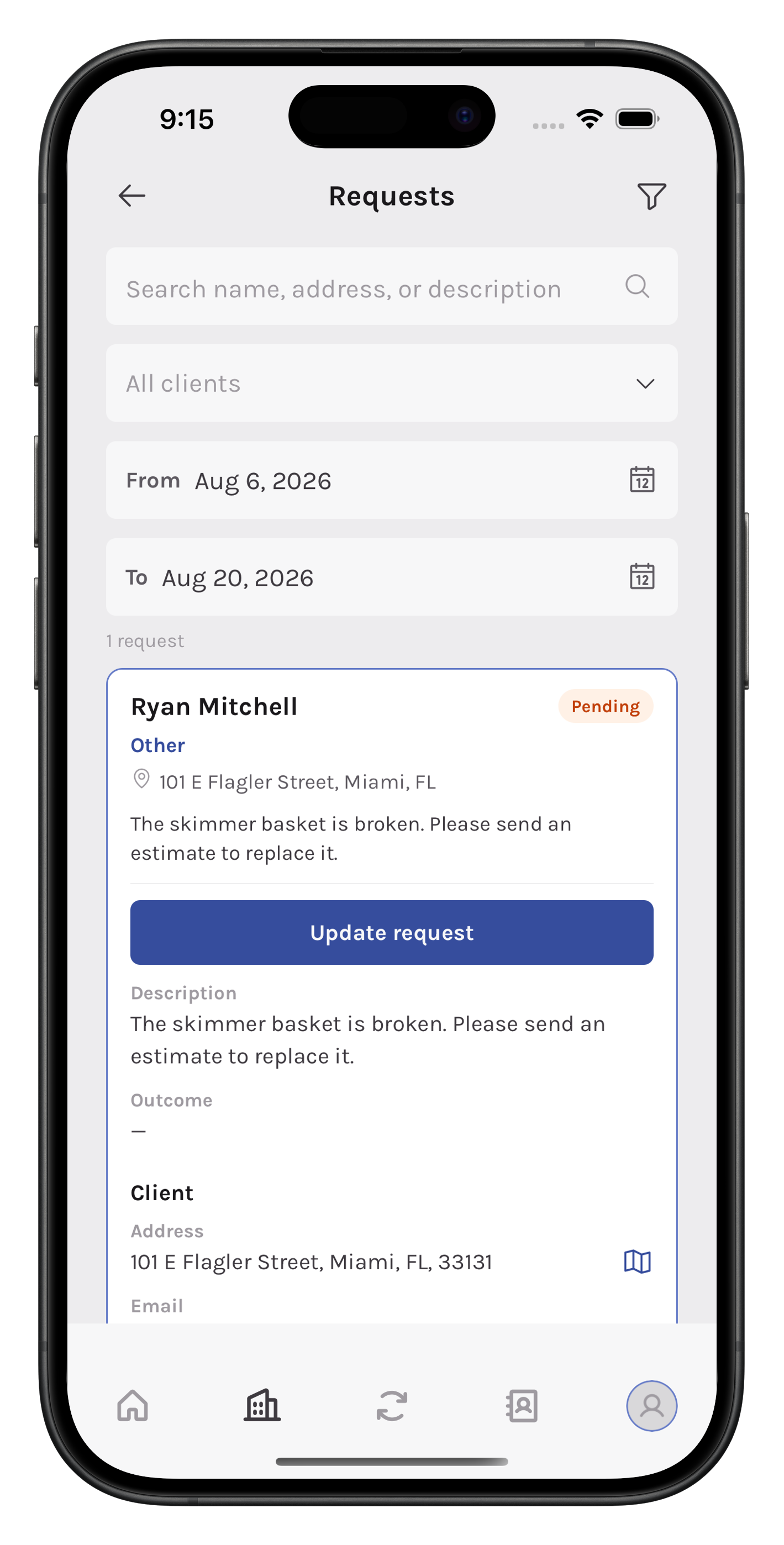
The office then moves it through a real status: Pending, Processing, Waiting client approval, Approved / Rejected, Done, Client notified. Write an outcome so the next person who opens the file knows what happened: “Quoted $185 for filter clean. Client approved. Scheduled for Friday.”
You'll see Requests on the Requests page and on the client's profile. That's useful when the homeowner calls back two weeks later and says “I already told your guy about the filter.”
What a Work Order is for
A Work Order is the extra job the office actually intends to do.
The owner or office creates it — separate from the recurring weekly Pool Cleaning. Pick a service type other than pool cleaning (filter clean, equipment repair, salt cell clean), assign a technician, add instructions, set a date or a short recurring window, and put a price on it.
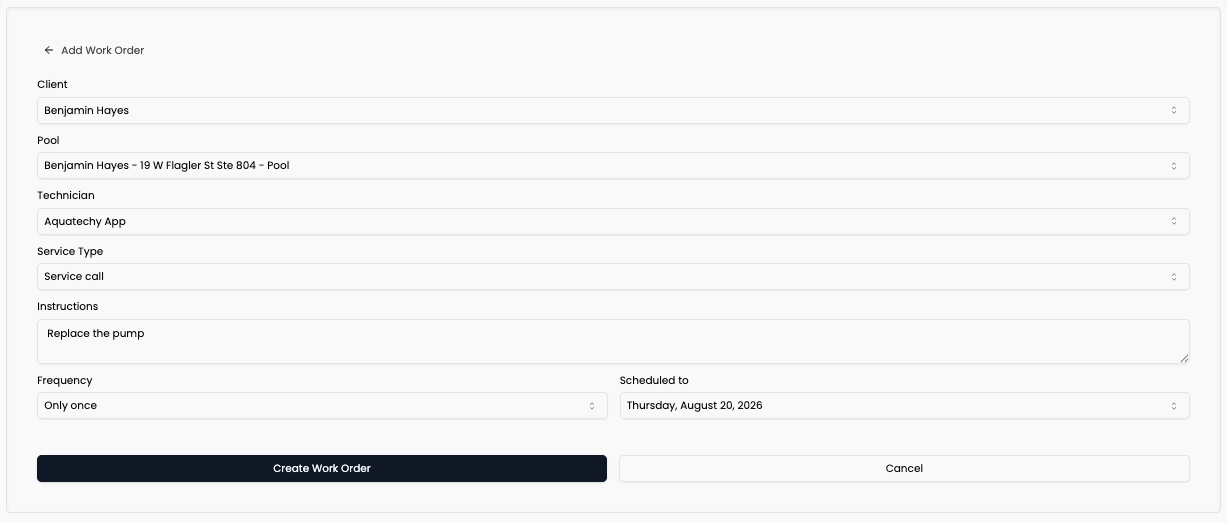
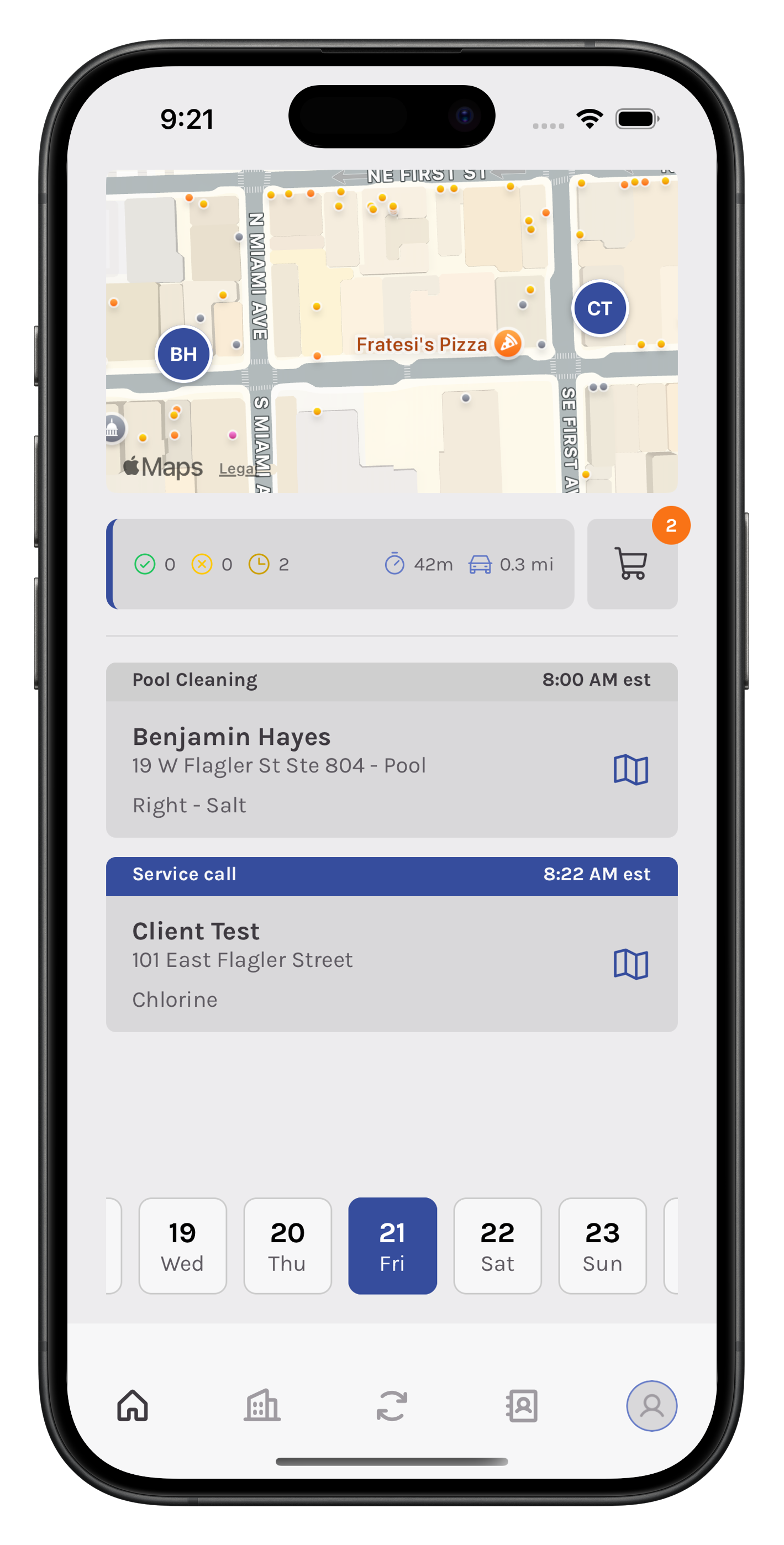
It lands on that tech's Work Orders schedule as Open. When they complete it, it behaves like a service stop: photos, readings if that service type uses them, and a report you can send the client.
If it isn't on the schedule, it isn't a job yet.
How they work together
Most extra work should touch both.
- Monday. Mike is on the weekly stop, sees a filthy cartridge, and creates a Request from the field: Filter Cleaning, photo attached, status Pending.
- Tuesday. The office looks at the photo, quotes $185, and moves the Request to Waiting client approval.
- Wednesday. The client says yes. The office updates the Request to Approved, then creates a Work Order for Friday: assigned to Mike, service type Filter Cleaning, price $185, instructions attached.
- Friday. Mike sees it on his Work Orders, completes it, takes after photos. The office marks the Request Done and Client notified.
The Request was Mike reporting what he found. The Work Order was the office sending him back to fix it.
Skip the Request and the photo lives on Mike's phone. Skip the Work Order and “we'll do it Friday” never makes his day.
You don't convert a Request into a Work Order automatically. Create the Work Order when you're ready to send someone. Keep the Request so the client history still shows why the extra visit happened.