
Aquatechy uses roles so each person sees the right tools. This guide walks through inviting someone and explains how Technician, Cleaner, Office, Admin, and Owner differ.
Who can invite people
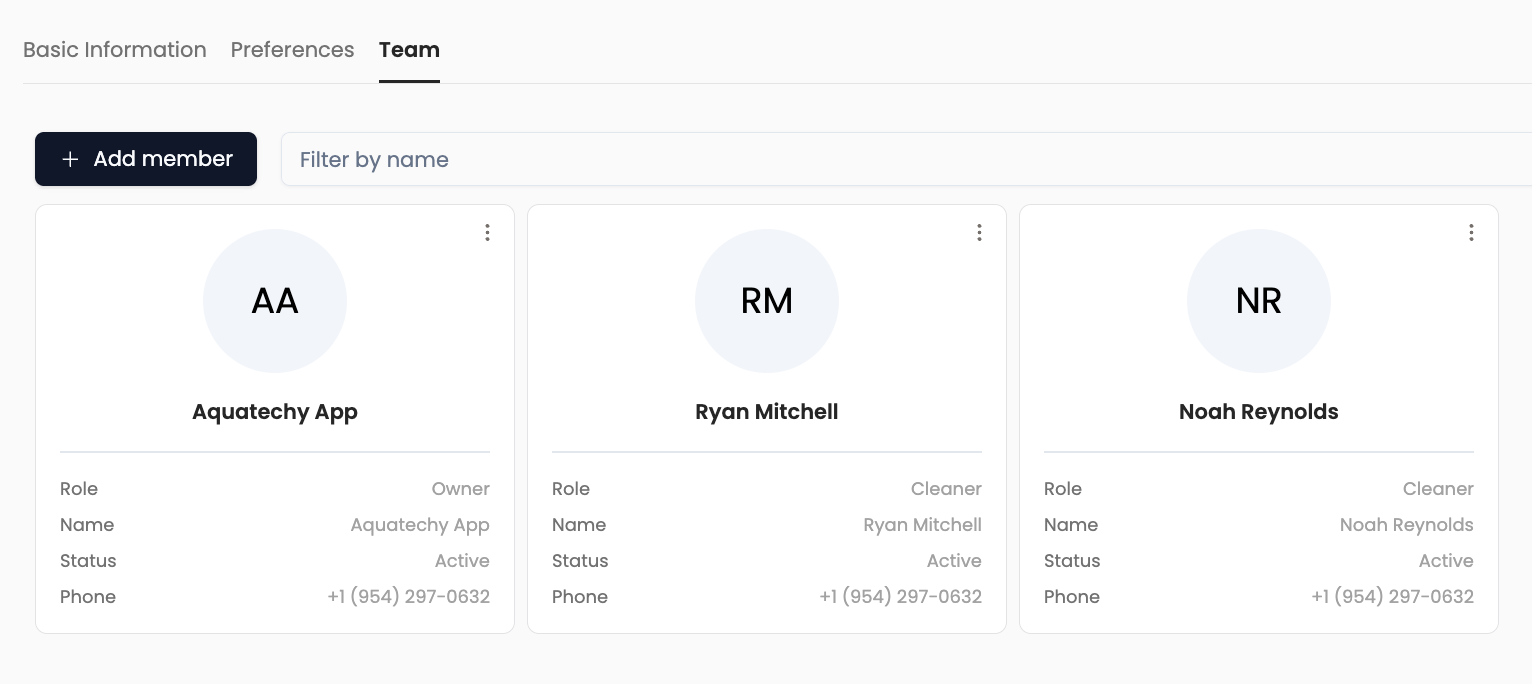
Only Owner and Admin can add people to a company. They use Settings → Companies → open the company → Team → Add member.
Office, Technician, and Cleaner cannot open this invite flow—ask an Owner or Admin to send the invite (or to change your role if your business rules allow it).
Start here: Companies in Settings, then select the company and open the Team tab.
Steps to add a member
-
Open Team and click Add member.
-
Choose which flow matches the person:
- New to Aquatechy — Create and Invite New User: first name, last name, company name, email, phone, address, Role, then Invite Member.
- Already has an Aquatechy account — Invite Existing User: User E-mail, Role, Invite Member.
Not sure if they already have an account? Use Create and Invite New User (treat them as new). Aquatechy will check the details when you submit; if something is wrong—such as that email already belonging to an existing user—the app will tell you, and you can fix it or switch to Invite Existing User with the correct email. You don’t have to guess up front.
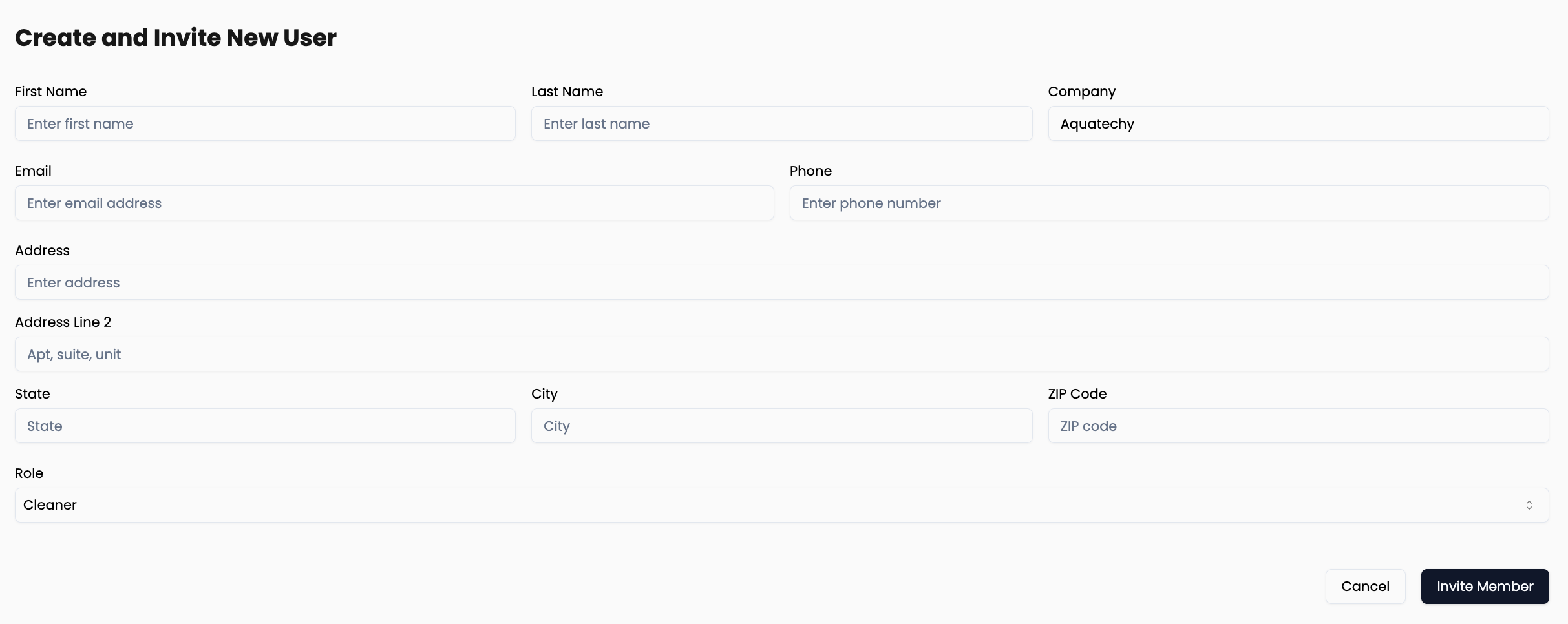
Pick a Role from the list: Admin, Office, Technician, or Cleaner.
Roles at a glance
| Role | Summary |
|---|---|
| Owner | Full control of the company, including actions other roles cannot perform (such as deleting the organization). |
| Admin | Nearly the same reach as an Owner for day-to-day operations and settings except deleting the company—that stays with the Owner. |
| Office | Office staff: can work with client contact information, routes, and other operational views that Technician and Cleaner roles do not get. Suited for dispatch and front-office work. |
| Technician | Field role for pool service work (routes, services, apps). |
| Cleaner | Same permissions as Technician—only the label changes (useful when you want job titles to read “Cleaner” instead of “Technician”). |
What happens next
- Create and Invite New User — The invite is accepted automatically for the new account you’re creating; they don’t need a separate accept step for that piece.
- Invite Existing User — They already have an Aquatechy login, so they must accept the invite themselves: go to Settings → Companies and accept the pending invitation there. They’ll also get an e-mail about it.
Edit or delete a member
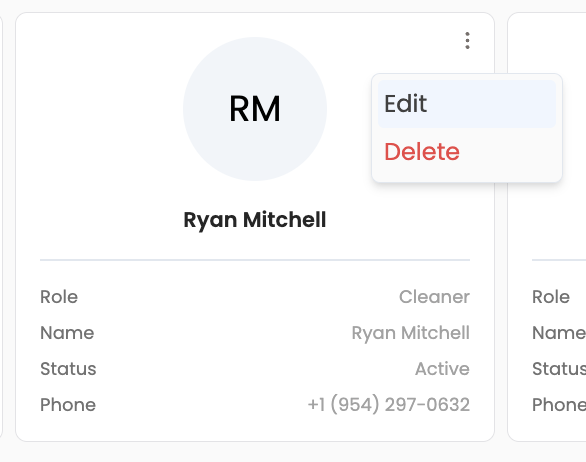
You can Edit a member from the card menu (change role, etc.) or Delete to remove them from the company.
Technician vs Cleaner
Technician and Cleaner are functionally the same in Aquatechy: same permissions, different name on the team list and in your workflow. Pick the label that matches how you talk to customers and staff.
Admin vs Owner
Admins can manage most of the same areas as an Owner—company preferences, team, clients (where the product allows those roles), and similar admin tasks. In day-to-day policy, only the Owner should delete the company; treat Admin as “everything except that final organizational step.”
(The app may still show certain controls to Admin accounts in places—follow your internal rule: Owner-only for deleting the organization.)
Office vs field roles (Technician / Cleaner)
Office is meant for people who need visibility into the business without being treated as a field tech:
- Client contact info — phone, e-mail, and related details office staff need to coordinate with homeowners.
- Routes / schedule-style views — seeing where work is planned and how the week looks, in ways that Technician and Cleaner accounts do not receive.
Technicians and Cleaners focus on executing work in the app (stops, services, checklists, readings, etc.) with a narrower slice of customer PII and routing insight, matching a typical “crew” profile.
Use Office for dispatchers and CS; use Technician or Cleaner for people on the trucks.
After someone is added
- They appear on Team with Role and Status.
- Company owner dropdowns on forms like New Client list people with Owner, Admin, or Office (so field roles aren’t accidentally set as the billing “company owner” for new customers).
- Adjust roles anytime via Edit on the member card if your policy allows it.